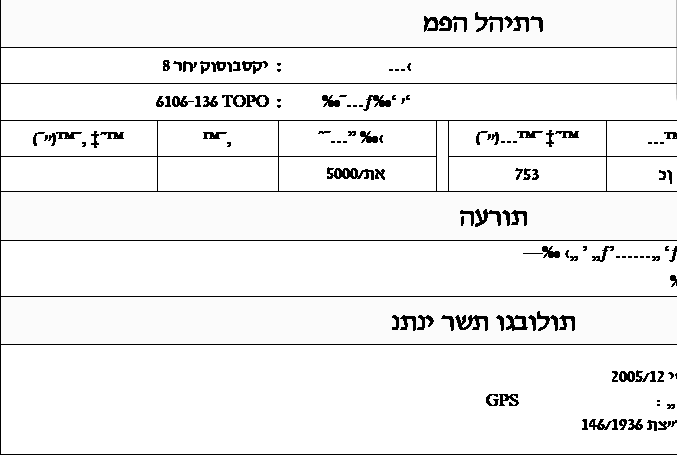
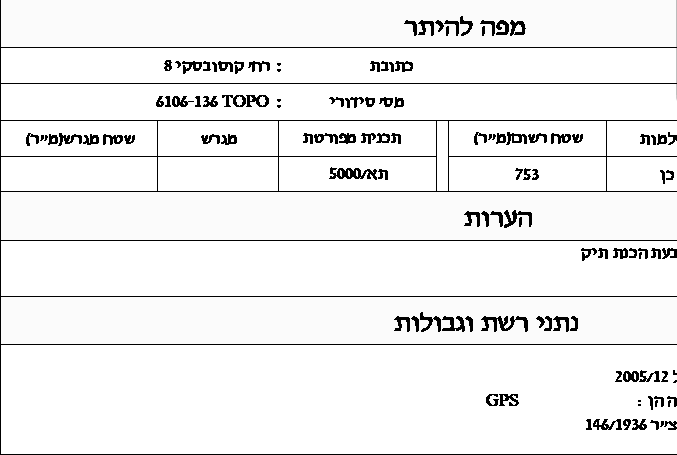
Why does Revit show gibberish, symbols or boxes instead of Hebrew in a DWG link?
Instead of Hebrew you see meaningless Latin letters (for example c,herv where a Hebrew word should be), sequences like %%U, or boxes and question marks.
- Sheet
- A-05.2
- Title
- Gibberish instead of Hebrew in a DWG link in Revit
Why it happens
A-05.2.1Revit doesn't support AutoCAD's drawing fonts (SHX) and picks another font in their place. When the Hebrew was typed on a Hebrew keyboard while the system was set to English, the file stored Latin letters, and only the SHX font showed them as Hebrew. Without that font, Revit shows the Latin letters as they are.
Sequences like %%U are AutoCAD formatting codes, or an old Hebrew encoding that was converted wrongly along the way.
The fix
A-05.2.2VIT DWG Editor, a tool in the Vitruvius plugin, fixes the text in the link itself, with one click, inside Revit, without opening AutoCAD or editing any settings file. The fix is written to the link's DWG file. The building elements in the model don't change, and a backup of the original file is saved before every fix. You can always restore.